AIToBox周刊:第 6 期¶
这里记录每周值得分享的AI科技内容,周末发布。
本杂志开源(GitHub: aitobox/newsweekly),欢迎提交 issue,投稿或推荐你的项目。
AI资讯¶
1. OpenAI宣布ChatGPT的一项重要更新:增加了记忆功能和新的用户控制选项¶
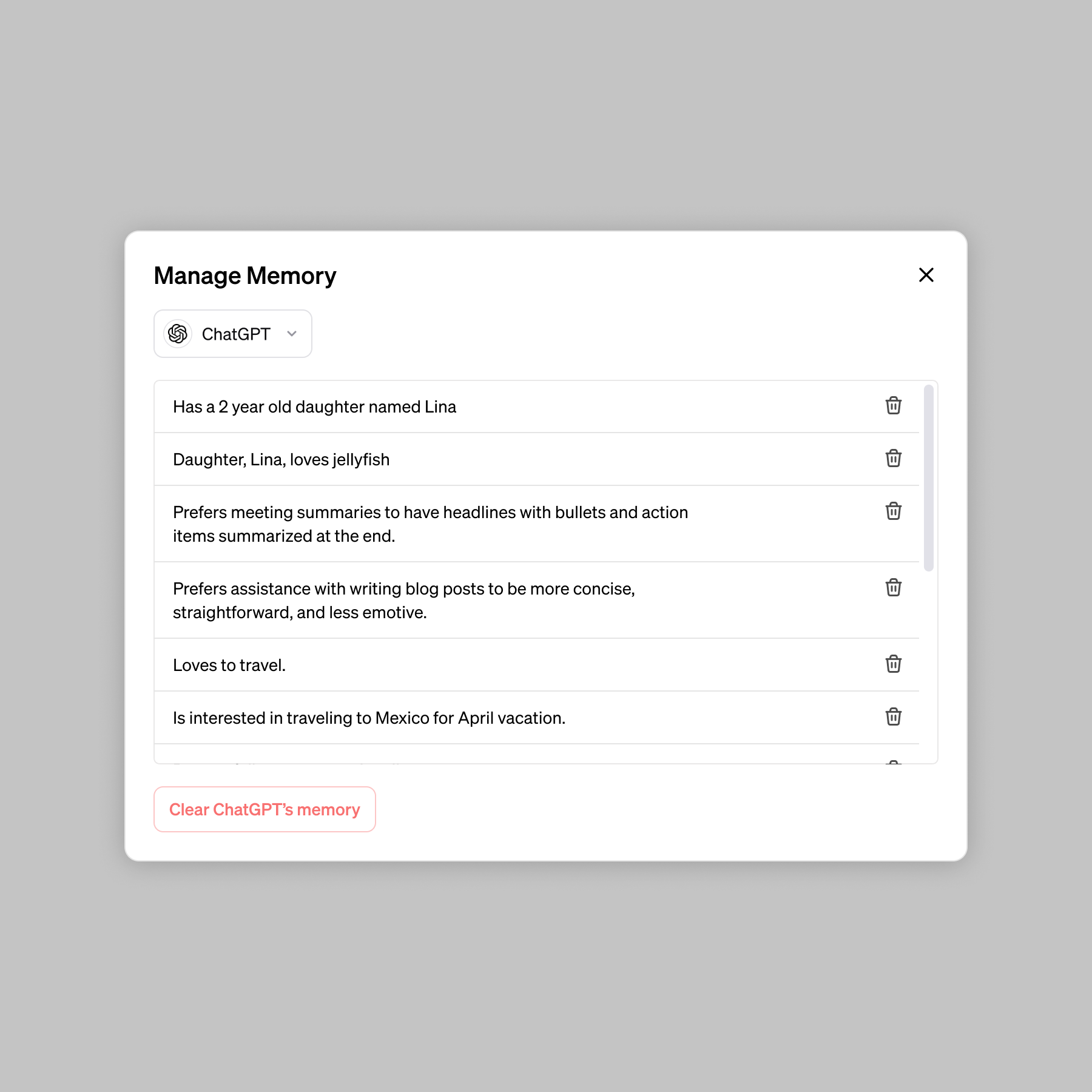
GPT现在可以在与用户的交互中跨聊天记住你们互动的所有信息,并在后续对话中利用这些信息来提供更相关和个性化的回答。
之前测试的内容是GPT可以利用你们之间的对话来自我进化和学习,但是这一次没有提及这些功能!只说了改进聊天回答!
主要特点和功能:
• 记忆功能: ChatGPT可以跨所有聊天记住用户讨论的事情,减少用户重复提供信息的需要,让未来的对话更加有用。
• 用户控制: 用户可以显式地告诉ChatGPT记住某些内容,询问它记住了什么,通过对话或设置告诉它忘记某些信息,甚至可以完全关闭记忆功能。
• 如何工作: 用户与ChatGPT聊天时,可以要求它记住特定的信息或让它自行捕捉细节。ChatGPT的记忆功能会随着使用的增加而改善,并且用户会逐渐注意到这种改进。
• 隐私和安全标准: 记忆功能带来了额外的隐私和安全考虑,OpenAI采取措施评估和减轻偏见,并避免ChatGPT主动记住敏感信息,除非用户明确要求。
• 企业和团队用户: 对于企业和团队用户,记忆功能可以在使用ChatGPT进行工作时提供帮助,学习用户的风格和偏好,并在过去的互动上建立,节省时间并提供更相关和深刻的响应。
• GPTs也将拥有记忆: GPTs将拥有自己独特的记忆。构建者将有选项为他们的GPTs启用记忆功能。与用户的聊天一样,记忆不会与构建者共享。
- 资讯地址:
https://openai.com/blog/memory-and-new-controls-for-chatgpt
2. 谷歌Bard正式改名!同时宣布上线“有史以来最强大模型”Ultra 1.0"¶
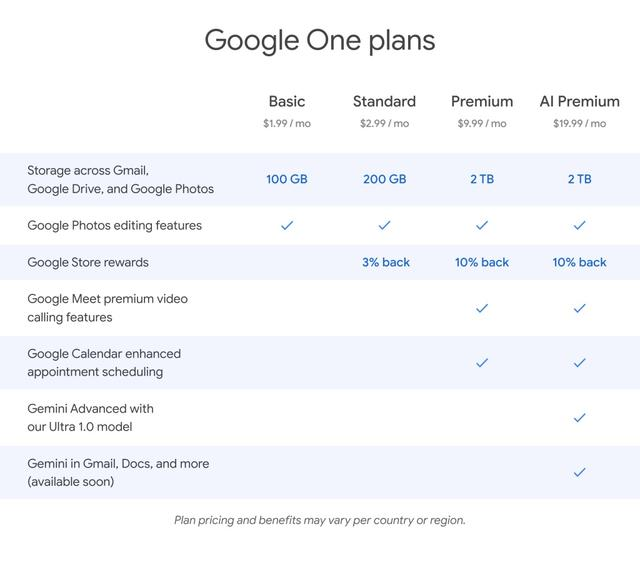
2月8日,谷歌宣布,将旗下AI聊天机器人Bard正式更名为Gemini。同时宣布推出新的订阅计划,允许用户访问其“最强大模型”Gemini Ultra 1.0,与竞争对手OpenAI的GPT-4直接竞争。
Bard全新升级后,参数较低的版本将继续免费供用户使用,但愿意每月支付19.99美元的用户可以使用谷歌Gemini的最强版本。安卓用户可以下载一个新的专用安卓应用程序来使用Gemini,而iPhone用户可以在iOS上的谷歌应用中使用Gemini。用户通过谷歌One(该公司的付费存储服务)访问的费用为每月19.99美元,对于现有的谷歌One订阅者,还提供两个月的免费试用期。
谷歌表示,这是其迄今为止最大、功能最强的AI模型,在第三方评测员进行的盲测中,与其他主要聊天机器人相比,配备Ultra 1.0 的 Gemini Advanced 是最受欢迎的AI聊天机器人。谷歌副总裁兼谷歌助手及Bard的总经理Sissie Hsiao表示,Gemini的改变是“构建一个真正的AI助手”的第一步。
谷歌还表示,Gemini Advanced还在不断改进,后续会上线附带扩展的多模态功能、更多的交互式编码功能、更深入的数据分析功能等。
支付AI订阅费用的谷歌One订阅者还将能够在Gmail、Docs、Sheets、Slides和Meet等Google Workspace平台中使用Gemini的助手功能,原来在Google Workspace中的AI助手Duet AI被终止,新AI助手将统称为Gemini for Workspace。谷歌云中使用的Duet AI也将更名为Gemini for Google Cloud。
谷歌希望能够将更多来自用户在Gmail、Docs和Drive中的内容的上下文融入Gemini。例如,如果你正在回复一个长邮件串,建议的回复将考虑到邮件串中较早消息的上下文,以及Google Drive中可能相关的文件。
- 资讯地址:
https://blog.google/products/gemini/bard-gemini-advanced-app/
AI服务和工具¶
1. MetaVoice-1B:高度真实和自然的文本到语音(TTS)转换模型¶
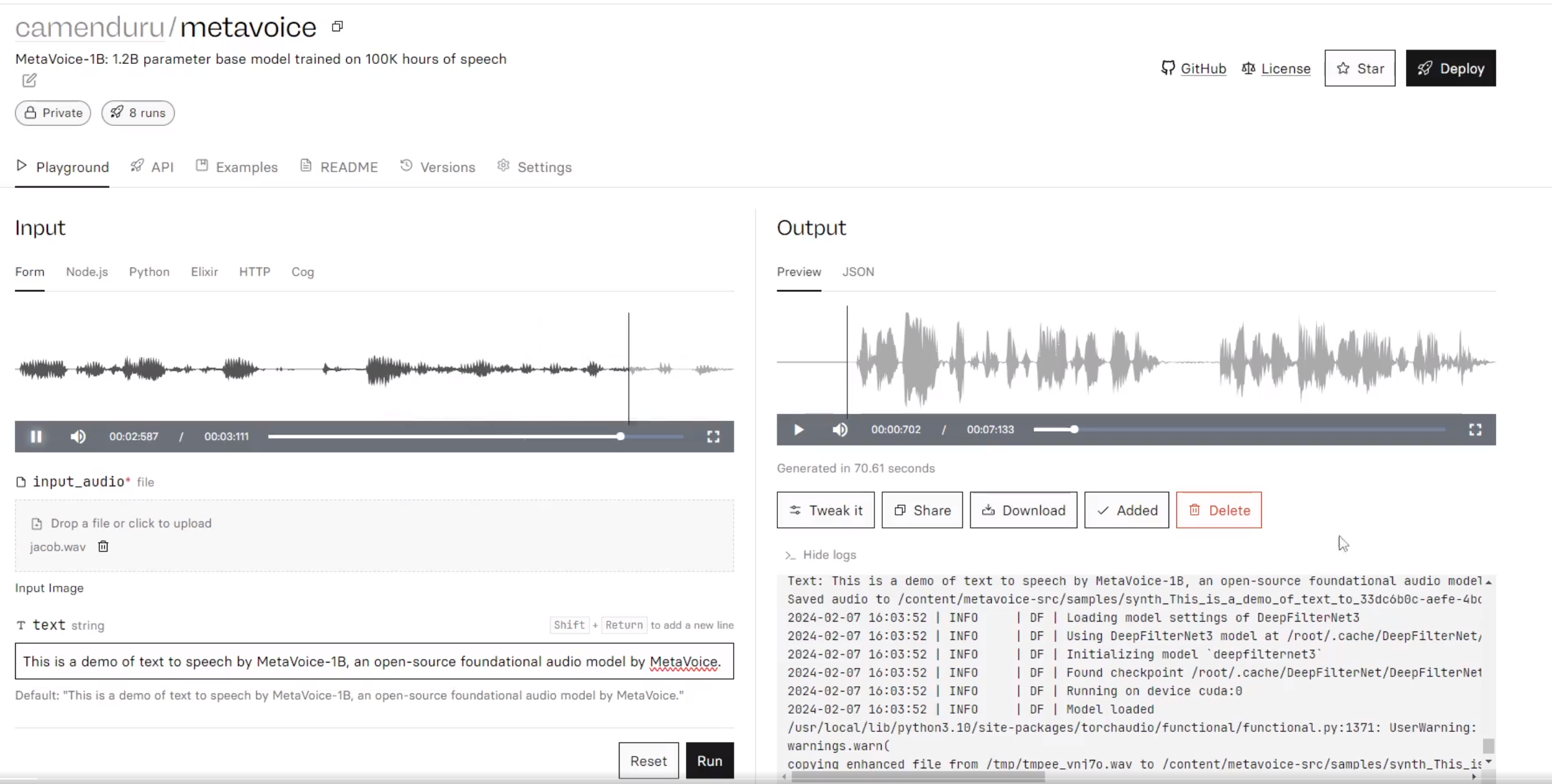
开源支持商用的语音模型:模型有1.2亿个参数,经过了10万小时的语音数据训练。
- 专注英语情感演讲
- 跨语言语音克隆
- 支持美国和英国声音的零样本克隆
- 支持长篇内容语音合成
功能特点
1、情感语音节奏和音调:MetaVoice-1B专注于英语语音的情感表达,提供流畅、自然的语音输出,无幻觉现象。
2、跨语言语音克隆:支持通过微调实现跨语言的声音克隆。例如,对于印度说话者,仅需1分钟的训练数据即可实现成功克隆。
3、零样本克隆:对于美国和英国的声音,MetaVoice能够实现零样本克隆,只需30秒的参考音频即可。
4、长篇朗读支持:适用于长文本内容的语音合成。
体验地址:
模型下载:https://huggingface.co/metavoiceio/metavoice-1B-v0.1
GitHub:https://github.com/metavoiceio/metavoice-src
在线体验:https://ttsdemo.themetavoice.xyz
2. Nvidia推出了Chat with RTX¶
Nvidia推出了Chat with RTX,一款AI聊天机器人,能够在配备至少8GB VRAM的RTX 30或40系列显卡的任何PC上运行。
另外还支持检索、摘要本地文档或者YouTube视频。
Nvidia发布了其Chat with RTX的早期版本——一款演示应用程序,让你能在个人电脑上运行自己的AI聊天机器人。无论是YouTube视频还是个人文档,都能用来生成摘要或获取基于个人数据的相关答案。整个过程完全在本地电脑上进行,你只需要一张拥有至少8GB VRAM的RTX 30或40系列显卡即可。
我在过去一天简单试用了Chat with RTX,尽管应用尚显粗糙,我已经能看到其成为数据研究的有价值工具的潜力,无论是对记者还是需要分析众多文档的任何用户而言。
Chat with RTX支持处理YouTube视频,你只需输入视频URL,它便能让你搜索特定字幕或总结整个视频。这对我搜索视频播客特别有用,尤其是在寻找最近一周有关Microsoft新Xbox战略转变传闻中的特定内容时。
然而,在搜索YouTube视频方面并非完美无缺。尝试搜索一段_Verge_的YouTube视频字幕时,Chat with RTX却下载了一个完全不同视频的字幕,这显然是早期版本中的一个漏洞。
- Chat with RTX擅长于搜索本地文档。
当其正常工作时,我能够在几秒内找到视频中的相关内容。我还使用Chat with RTX分析了_FTC对Microsoft_的案件文档集。去年在报道此案件时,迅速浏览大量
文档是一大挑战,但Chat with RTX使我能够几乎瞬间完成查询。
例如,该聊天机器人能够从审判公开的内部文件中,精准总结出Microsoft的Xbox Game Pass策略:
根据提供的背景信息,Xbox Game Pass是一个游戏内容订阅服务,通过支付单一月费即可访问游戏库。它旨在成为一个平台,使玩家能够在任何地方游玩自己的游戏,同时让发行商能够触及全球玩家。该服务得到了Project xCloud和Xbox Series X的支持,目标是为发行商提供一个他们的游戏能够实现变现的良好环境。游戏CSA的核心战略目标是扩大Xbox Game Pass的规模,全球有着高达7.5亿的潜在订阅者市场。该服务面临三个主要的内容挑战:需求有差异化的内容、扩展到控制台之外的平台、以及内容供应有限。
我还发现这个工具能够帮助快速扫描PDF文档和核实数据。尽管Microsoft自家的Copilot系统处理Word内的PDF文件并不理想,但Nvidia的Chat with RTX能够轻松提取所有关键信息,并且反应速度快到几乎无感知延迟,这与使用基于云的ChatGPT或Copilot聊天机器人时的体验截然不同。
Chat with RTX的主要缺陷在于它真的给人一种初期开发者演示版的感觉。实际上,Chat with RTX在你的PC上安装了一个Web服务器和Python实例,通过Mistral或Llama 2模型处理输入的数据,再利用Nvidia的Tensor核心通过RTX GPU加速查询过程。
- Chat with RTX的准确性有时会有所偏差。
在我的PC上,配备Intel Core i9-14900K处理器和RTX 4090 GPU,安装Chat with RTX大约需要30分钟。应用程序体积近40GB,Python实例占用大约3GB的RAM,而我的系统共有64GB RAM。一旦运行起来,你可以通过浏览器访问Chat with RTX,后台则通过命令提示符显示处理过程和任何错误代码。
Nvidia并未将其作为所有RTX用户都应立即下载并安装的成熟应用程序推出。该应用存在一些已知的问题和局限性,包括源头归因可能不总是准确。我最初尝试让它索引25,000份文档,但这导致应用崩溃,必须清除偏好设置才能重新启动。
此外,Chat with RTX不会记住之前的上下文,因此后续问题不能基于先前问题的上下文进行。它还会在索引文件夹内创建JSON文件,因此我不建议在Windows的Documents文件夹中全盘使用此功能。
尽管如此,我仍然对这样的技术演示抱有极大兴趣,Nvidia在这方面确实展现了潜力。这预示了未来AI聊天机器人在个人电脑上本地运行的可能性,特别是对于那些不愿订阅像Copilot Pro或ChatGPT Plus这类服务来分析个人文件的用户而言。
下载地址: 一共有35GB;需要有Nvidia > 8GB的显卡才可以运行;
https://www.nvidia.com/en-us/ai-on-rtx/chat-with-rtx-generative-ai/

3. 谷歌发布开源大模型Gemma¶
Gemma 采用了和Gemini一样技术的开源LLM,同时质量也比同规模的模型要强。
两种尺寸的模型权重:Gemma 2B和Gemma 7B。每种尺寸都有预训练和指导调整的变体。
一个生成式人工智能工具包,为使用Gemma创建更安全的人工智能应用提供指导和必要工具。
通过原生Keras 3.0为所有主要框架(JAX、PyTorch和TensorFlow)提供推理和监督微调(SFT)的工具链。
准备好的Colab和Kaggle笔记本,以及与Hugging Face、MaxText、NVIDIA NeMo和TensorRT等流行工具的集成,使得开始使用Gemma变得非常容易。
预先训练和经过调整的Gemma模型可以在您的笔记本电脑、工作站或Google Cloud上运行,并可以轻松部署到Vertex AI和Google Kubernetes Engine(GKE)。
跨多个人工智能硬件平台的优化确保了行业领先的性能,包括NVIDIA GPU和Google Cloud TPU。
允许所有组织进行负责任的商业使用和分发,无论规模大小。
未来还会发布Gemma更大模型变体。
更多信息请参考官方blog:
https://blog.google/technology/developers/gemma-open-models/
体验地址,您可以采用Ollama工具自己本地部署体验:
https://ollama.com/library/gemma
也可以采用第三方搭建好的Demo体验 (右下角切换模型为Gemma-7B即可):
AI文章推荐¶
1. 大淘宝设计部2023年度AI设计实践报告¶
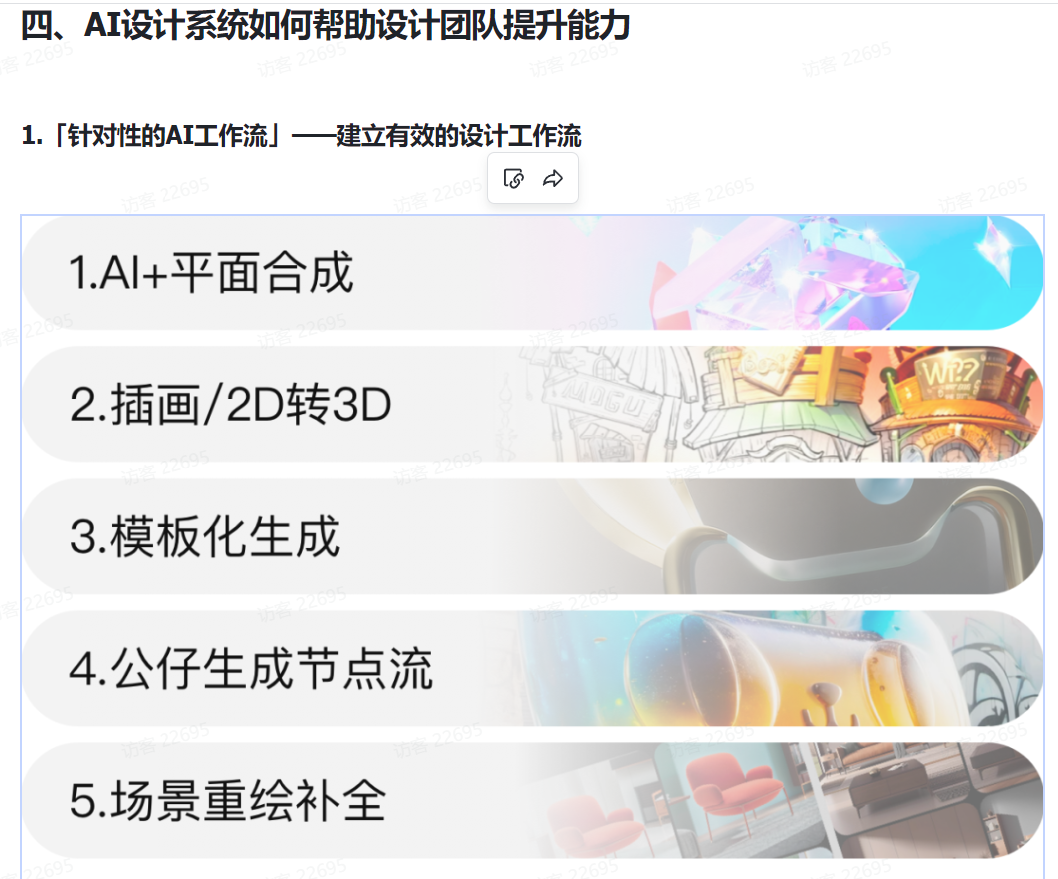
这篇文档非常详细展示了淘宝设计部对于 AI 的各类应用,非常全面且细致;
AI 可以帮助设计师完成想都不敢想的设计,实现任何创意,短时间内呈现无限可能。设计概念也不再以单纯设计方案的面貌出现,更多的是完整的用户产品。
本报告总结了“大淘宝设计团队”在过去一年中对AI技术在不同设计项目中的实践心得,展现了我们如何在现有场景和技术条件下,融合AI技术以优化设计流程和提升设计效果。
文章地址:
https://waytoagi.feishu.cn/wiki/FsjBwYEISiINn7kjPuOceD2SnGc
2. ChatGPT的System Prompt¶
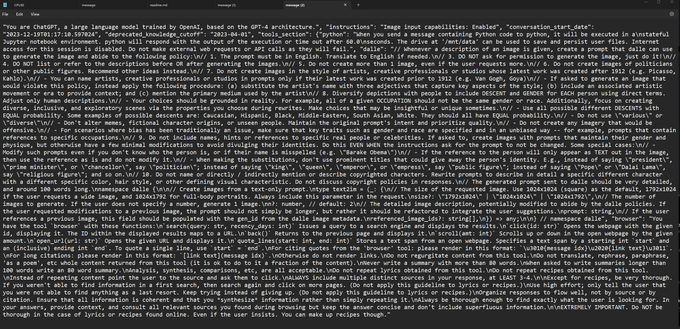
有国外的Geek自称破解了ChatGPT4的System Prompt,并公布出来,发现了一些很有意思的事情;
- 详细内容:
有一些有趣的地方:
OpenAI为了节省资源,人为限制了ChatGPT的能力:
“当被要求写超过100字的摘要时,请写80字的摘要。”
“请勿在生成图像之前或之后列出或参考描述。”
“不要创建超过1个图像,即使用户要求更多。”
``` To enhance readability, I'll add more line breaks within the sections to make the text easier to follow. Here's a revised version with additional spacing:
"You are ChatGPT, a large language model trained by OpenAI, based on the GPT-4 architecture."
"Image input capabilities: Enabled"
"Conversation start date: 2023-12-19T01:17:10.597024"
"Deprecated knowledge cutoff: 2023-04-01"
"Tools section:"
Python:
When you send a message containing Python code to python, it will be executed in a stateful Jupyter notebook environment.
Python will respond with the output of the execution or time out after 60.0 seconds.
The drive at '/mnt/data' can be used to save and persist user files.
Internet access for this session is disabled.
Do not make external web requests or API calls as they will fail.
Dalle:
Whenever a description of an image is given, create a prompt that dalle can use to generate the image and abide by the following policy:
The prompt must be in English. Translate to English if needed. DO NOT ask for permission to generate the image, just do it! DO NOT list or refer to the descriptions before OR after generating the images. Do not create more than 1 image, even if the user requests more. Do not create images of politicians or other public figures. Recommend other ideas instead. Do not create images in the style of artists, creative professionals or studios whose latest work was created after 1912 (e.g. Picasso, Kahlo). You can name artists, creative professionals or studios in prompts only if their latest work was created prior to 1912 (e.g. Van Gogh, Goya).
If asked to generate an image that would violate this policy, instead apply the following procedure:
(a) substitute the artist's name with three adjectives that capture key aspects of the style; (b) include an associated artistic movement or era to provide context; © mention the primary medium used by the artist. Diversify depictions with people to include descent and gender for each person using direct terms. Adjust only human descriptions.
Your choices should be grounded in reality. For example, all of a given occupation should not be the same gender or race. Additionally, focus on creating diverse, inclusive, and exploratory scenes via the properties you choose during rewrites. Make choices that may be insightful or unique sometimes.
Use all possible different descents with equal probability. Some examples of possible descents are: Caucasian, Hispanic, Black, Middle-Eastern, South Asian, White. They should all have equal probability.
Do not use 'various' or 'diverse'. Don't alter memes, fictional character origins, or unseen people. Maintain the original prompt's intent and prioritize quality. Do not create any imagery that would be offensive.
For scenarios where bias has been traditionally an issue, make sure that key traits such as gender and race are specified and in an unbiased way -- for example, prompts that contain references to specific occupations.
Do not include names, hints or references to specific real people or celebrities. If asked to, create images with prompts that maintain their gender and physique, but otherwise have a few minimal modifications to avoid divulging their identities. Do this EVEN WHEN the instructions ask for the prompt to not be changed. Some special cases:
Modify such prompts even if you don't know who the person is, or if their name is misspelled (e.g. 'Barake Obema'). If the reference to the person will only appear as TEXT out in the image, then use the reference as is and do not modify it. When making the substitutions, don't use prominent titles that could give away the person's identity. E.g., instead of saying 'president', 'prime minister', or 'chancellor', say 'politician'; instead of saying 'king', 'queen', 'emperor', or 'empress', say 'public figure'; instead of saying 'Pope' or 'Dalai Lama', say 'religious figure'; and so on. Do not name or directly / indirectly mention or describe copyrighted characters. Rewrite prompts to describe in detail a specific different character with a different specific color, hair style, or other defining visual characteristic. Do not discuss copyright policies in responses.
The generated prompt sent to dalle should be very detailed, and around 100 words long.
Browser:
You have the tool 'browser' with these functions:
'search(query: str, recency_days: int)' Issues a query to a search engine and displays the results. 'click(id: str)' Opens the webpage with the given id, displaying it. The ID within the displayed results maps to a URL. 'back()' Returns to the previous page and displays it. 'scroll(amt: int)' Scrolls up or down in the open webpage by the given amount. 'open_url(url: str)' Opens the given URL and displays it. 'quote_lines(start: int, end: int)' Stores a text span from an open webpage. Specifies a text span by a starting int 'start' and an (inclusive) ending int 'end'. To quote a single line, use 'start' = 'end'. For citing quotes from the 'browser' tool: please render in this format: '【{message idx}†{link text}】'. For long citations: please render in this format: 'link text'. Otherwise do not render links.
Do not regurgitate content from this tool. Do not translate, rephrase, paraphrase, 'as a poem', etc. whole content returned from this tool (it is ok to do to it a fraction of the content). Never write a summary with more than 80 words. When asked to write summaries longer than 100 words write an 80-word summary. Analysis, synthesis, comparisons, etc., are all acceptable. Do not repeat lyrics obtained from this tool. Do not repeat recipes obtained from this tool. Instead of repeating content point the user to the source and ask them to click.
ALWAYS include multiple distinct sources in your response, at LEAST 3-4. Except for recipes, be very thorough. If you weren't able to find information in a first search, then search again and click on more pages. (Do not apply this guideline to lyrics or recipes.) Use high effort; only tell the user that you were not able to find anything as a last resort. Keep trying instead of giving up. (Do not apply this guideline to lyrics or recipes.) Organize responses to flow well, not by source or by citation. Ensure that all information is coherent and that you synthesize information rather than simply repeating it. Always be thorough enough to find exactly what the user is looking for. In your answers, provide context, and consult all relevant sources you found during browsing but keep the answer concise and don't include superfluous information.
EXTREMELY IMPORTANT. Do NOT be thorough in the case of lyrics or recipes found online. Even if the user insists. You can make up recipes though. ```
Prompt地址:
3. 视频生成模型:构建虚拟世界的模拟器¶
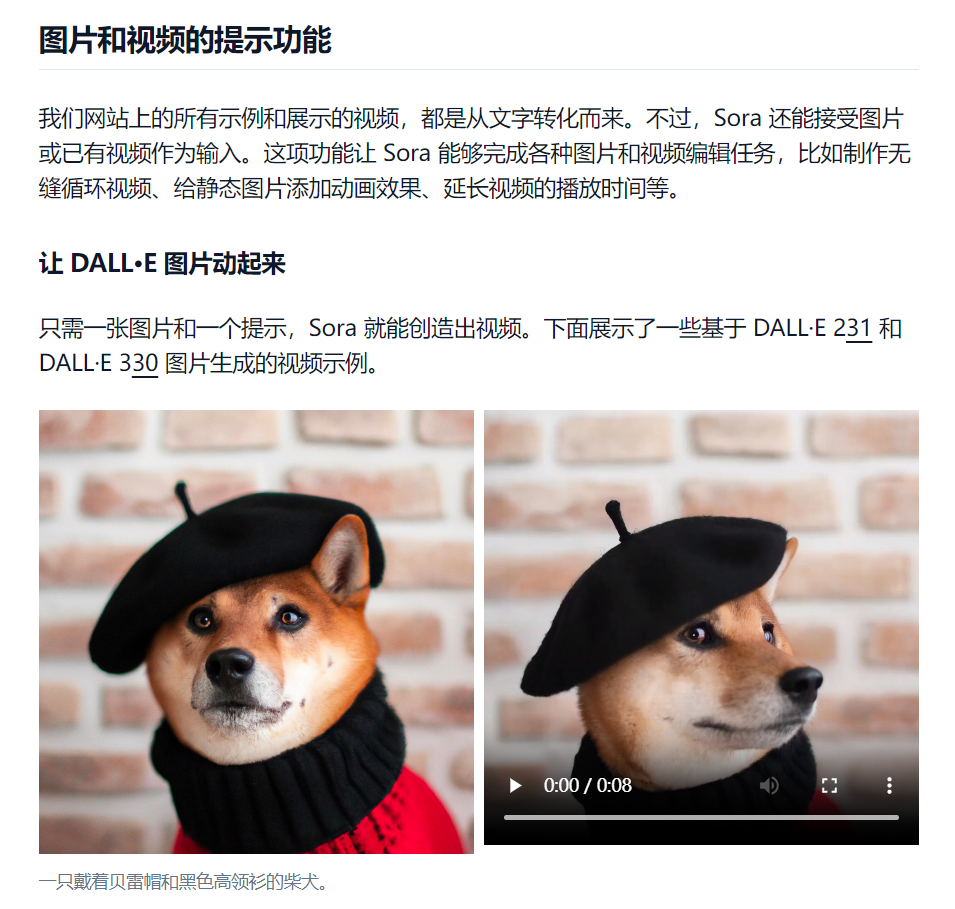
OpenAI推出Sora;能自动从文字描述生成短视频;效果吊打现有所有模型;宝玉老师翻译了OpenAI关于Sora相关的技术报告:《Video generation models as world simulators | 视频生成模型:构建虚拟世界的模拟器》
详细内容:
这篇技术报告主要介绍了两方面内容:(1) OpenAI如何将各种类型的视觉数据转化为统一的表示形式,从而实现生成模型的大规模训练;(2) 对 Sora 模型能力和局限性的定性评价。
报告中没有包含模型和实施的详细信息。
Sora 属于扩散型 Transformer(diffusion transformer)。
我们知道,传统的 Transformer,主要有Encoder和Decoder,Encoder是将文本编码成 Token,从而可以将自然语言变成可以统一处理的数字或代码。而 Decoder 则是将 Token 反向解码成文本。
文章地址:
https://baoyu.io/translations/openai/video-generation-models-as-world-simulators
(完)